Ask David: What Is the Difference between Copy and Clone in the NorthstarMLS Add/Edit listing Input System?
Time is money. Getting a job done efficiently and accurately is beneficial, especially in the Real Estate industry.
September 15, 2026
The NorthstarMLS Add/Edit listing input system offers two features designed to save time when entering a new listing: Copy and Clone. Subscribers with listing input permissions can use these features to quickly create a new listing using information from an existing one.
Copy a Listing
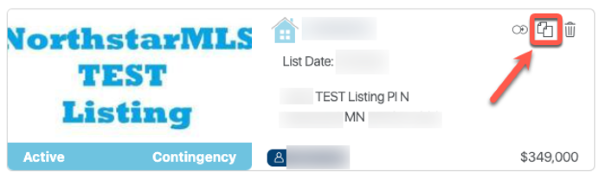
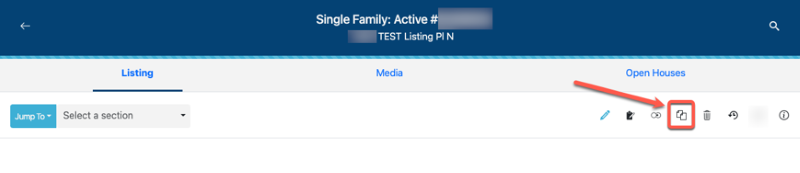
Subscribers who have permission to add listings in Add/Edit can use the Copy button. Copying a listing pulls the public-facing listing data from an existing listing into a new listing with a new MLS listing number. Private information, dates, list prices and remarks entered by the original listing agent are not copied.
Any listing, regardless of the listing agent or brokerage, can be copied in any status. This is often useful when an agent lists a property that was previously in the MLS and wants to save time by using the prior listing as a starting point.
When copying a listing, the new listing agent and brokerage are responsible for reviewing and verifying all copied information to ensure it is current and accurate.
The Copy button looks like this:
Clone a Listing
Subscribers who have permission to add listings in Add/Edit can use the Clone button to create a new listing from one of their own existing listings.
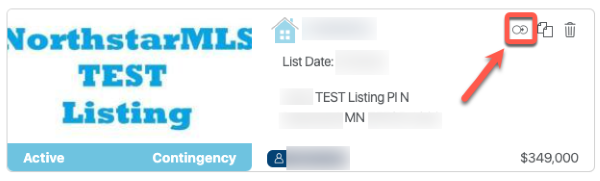
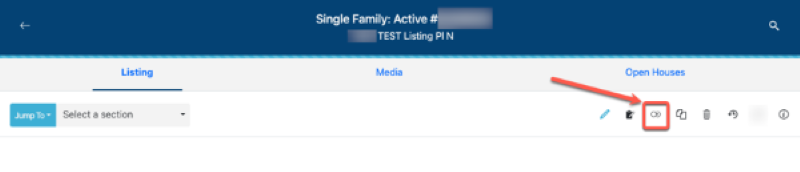
Cloning brings forward much of the listing data from your existing listing, along with its media, including photos, photo captions, supplements, supplement captions and virtual tours. Any future scheduled open houses are also carried over. Listing-specific information that should be entered fresh for the new listing, such as dates and list price, is not carried over. The cloned listing is assigned a new MLS listing number.
Listings can be cloned in any status, but you can only clone your own listings because media rights and scheduled open houses cannot be transferred from another listing agent’s listing.
When cloning a listing, the listing agent and brokerage are responsible for reviewing and verifying all information, media and scheduled open houses to ensure everything is current and accurate.
The Clone button looks like this:
Pro Tip
You can only copy or clone a listing within the same property type; for example, a Single Family listing can only be copied or cloned to a new Single Family listing. You cannot copy or clone a listing from one property type to another, such as Single Family to Multi-Family or Farm to Lots and Land. Each property type has different required fields and other data fields that do not align.
If a listing is accidentally entered under the wrong property type, you’ll need to start a new listing under the correct property type and re-enter the information. It cannot be copied or cloned into the correct property type.
Need Help?
Contact the NorthstarMLS Help Desk at help@northstarmls.com or call 651-251-5456.

Explore More

Share This Article
Related Insights
Stay up-to-date on the latest information from NorthstarMLS. From Subscriber Benefits to industry news, our articles have insights and analysis to help expand your real estate knowledge.
NorthstarMLS Newsletters: Read our latest editions and past issues
Helpful updates and information and the latest MLS product news for your real estate business
Avoid these Late Listing Rules Violations Pitfalls
Knowing when a listing can and cannot go live in the MLS is key to avoiding Late Listing violations. Learn…
A Look Back at 2025
A look into the numbers of 2025 and forward to a great 2026